显示标签为“Launch CRP123”的博文。显示所有博文

2017年10月19日星期四

How to Upgrade LAUNCH CRP129 Auto Code Reader Scanner ?

Based on the Launch Creader Pro 123 , LAUNCH CRP129 is a marked improvement of its predecessor, as well as being the world’s first DIY diagnosis product with fully integrated OBDII, Car Model Diagnosis and Engine Oil Lamp Reset.
929936922_041
www.obd2tool.com offer CRP 129P with competitive price.
Today we would like to share with you about how to upgrade LAUNCH CRP129.
Firstly ,
Enter into this link : http://mycar.x431.com/pad/landingPageIndexProductCRP.action,
Download and install the LaunchDIY_Update_Setup.zip.
1
2
3
Secondly,
Pull out TF card from CRP129 Premium Scanner card slot, install TF card into the card reader, connect the card reader with computer USB. Delete all vehicle models in the CR_VII–>VEHICLES File Folder inside the TF card, and then exit.
(Notice: As the TF card capacity is limited, it is better to delete all original vehicle models in the TF card.)
456 –> 7
Thirdly,
Open LaunchDIY_Update. File, complete the upgrade as following:
8
9
We offer CRP129 code reader with 1 Year Warranty. If you have any question to operation LAUNCH CRP129, Please no hesitate to contact our sales!

LAUNCH Creader Professional 123 Premium

CRP123 Premium-1-1
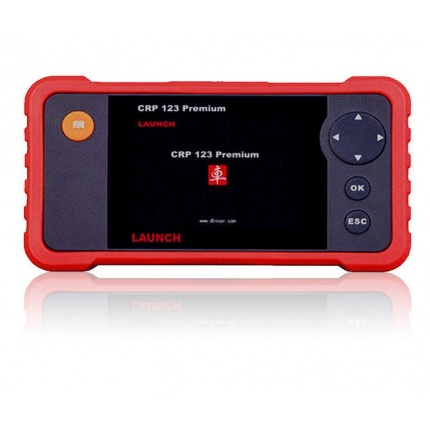
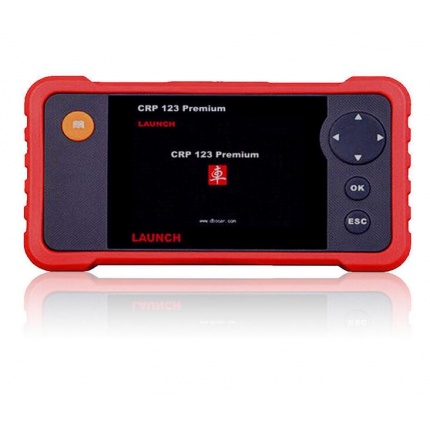
The LAUNCH Creader CRP123 Premium Edition is a handheld diagnostic tool used to detect and report the cause of vehicle faults. It boasts state-of-the-art hardware and software making it one of the most accurate diagnostic tool in today’s market.  All this along with its compact design and full colour screen, the CRP123 Premium is easy to use and understand while not being in the least bit cumbersome.

Works with all vehicles compliant with EOBD/OBDII (petrol vehicles from 2001 and diesels from 2004).

The CRP123 Premium amalgamates the best features of code scanners and professional mid-line scan tools. It opens up a whole world of diagnostics, which is further improved by its enhanced data streams for ABS, SRS, Transmission and Engine; which is available across a wide range of makes and models.

With all the operational ability of a traditional ARS/SRS Code Reader the CRP123 Premium boasts a great deal more functionality such as live data streams, coverage for Asian, European and American vehicles and the ability to scan transmissions.

Functions of CRP123 Premium include:
●  Complete Asian, European and American coverage for ABS, SRS, transmission & engine
●  Enhanced data stream for ABS, SRS, transmission & engine
●  Auto-vehicle Id, Auto module search and ultra-fast protocol ID
●  Reads and clears codes on engine transmission (A/T), ABS and airbag (SRS) systems
●  Includes all functions of previous CReader models for OBD Generic
●  Support for all 10 test modes of OBDII with enhanced OBDII Mode 6
●   Retrieves generic and manufacturer specific code – both permanent & pending
●  Turn off malfunction indicator lamp (MIL)
●  View freeze frame data and I/M Readiness monitor status
●  Graph, record and replay data in full colour
●  Enhanced help functions
●  Intuitive interface & button operation with sleek, rugged design.
●  Internet updateable
●   Print data via PC

 Specification:
●  4” TFT full colour display
●  Language options: English, Spanish, French

The CRP123 Premium is a convenient and handy tool that makes collecting and reading diagnostic information easy and most importantly, accessible.
This product comes access to valuable software updates which are released by Launch over the internet.

If the CRP123 Premium from www.obd2tool.com does not meet your requirements take a look at the CReader CRP129, which has all the abilities of the CRP123 Premium and adds, EPB reset, Oil Reset and Steering Angle Reset.
Warranty

Unlike the vast majority of other sellers who will only offer a one year warranty, Launch UK are offering an exclusive two year UK warranty on this unit.

LAUNCH Creader CRP123 Premium Diagnostic Scanner Transmission Airbag EPB

CRP123 Premium-1-1
FEATURES & BENEFITS
1.Reads & Clears codes on Engine,Transmission(A/T),ABS,Airbag(SRS) system
2.Support for all 10 test modes of OBDII
3.Auto module search
4.Enhanced OBDII Mode 6
5.Supports vehicles1996 & newer ( OBDII & CAN)
6.Retrieves generic P0,P2,P3 & U0 codes ,along with manufacturer specific P1,P3 & U1 codes- both permanent & pending
7.Read & Clear Check Engine Lights
8.Turn off MIL & reset monitors
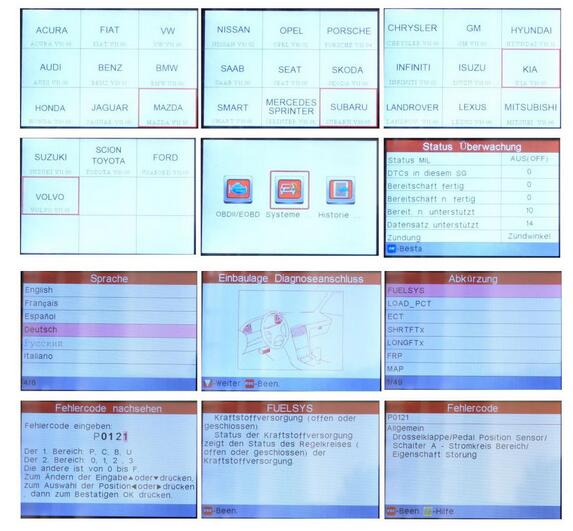
9.Displays DTC definitions right on the screen
10.View freeze frame data & I/M Readiness monitor status
11.Display live PCM data stream & O2 Sensor test Data
12.Graph ,record ,& replay data in full color
13.3.5″ TFT color display
14.Code cause / solutions tips guide users to the root cause of trouble codes faster ,saving diagnosis and repair time
15.Rerieves vehicle information ( VIN,CIN and CVN)
16.Multilingual menua wiht DTC definitions in English,Spanish & French
17.Internet updateable & upgradeable
18 Print data via PC

Please note :
*All Launch tools must be registered and updated immediately upon purchase to be guaranteed all of the above latest functionality
There are also some videos on Youtube you can take as a reference , if you dont’ know how to do it ,please contact us,
we will offer professional technical support .

Vehicle Coverage
Asia Car Models:
Suzuki, Honda, Mitsubishi, Nissan, Toyota, Mazda, Hyundai, Kia, Subaru, Infiniti, Lexus, Accura, Isuzu.JPISUZU
AUSTFORD
HOLDEN
USA Car Models:
USA Ford, GM, Chrysler.
European Car Models:
Mercedes Benz, BMW, VW, Opel, Volvo, Fiat, Landrover, Seat, Skoda, Audi, Porsche, Saab, Jaguar.SMART(SMART) SPRINTER
CRP123 Premium-2-1

Specification
· Screen:3.5”, 320*480 TFT LCD true color display
· Input voltage:9-18V
· Connection:standard 16 PIN OBD diagnostic interface
· Working temperature:0-50°C
· Storage ambient temperature:-20 to 70°C
· Dimension:136*73*22(mm)
· Weight:<750g

Packing list
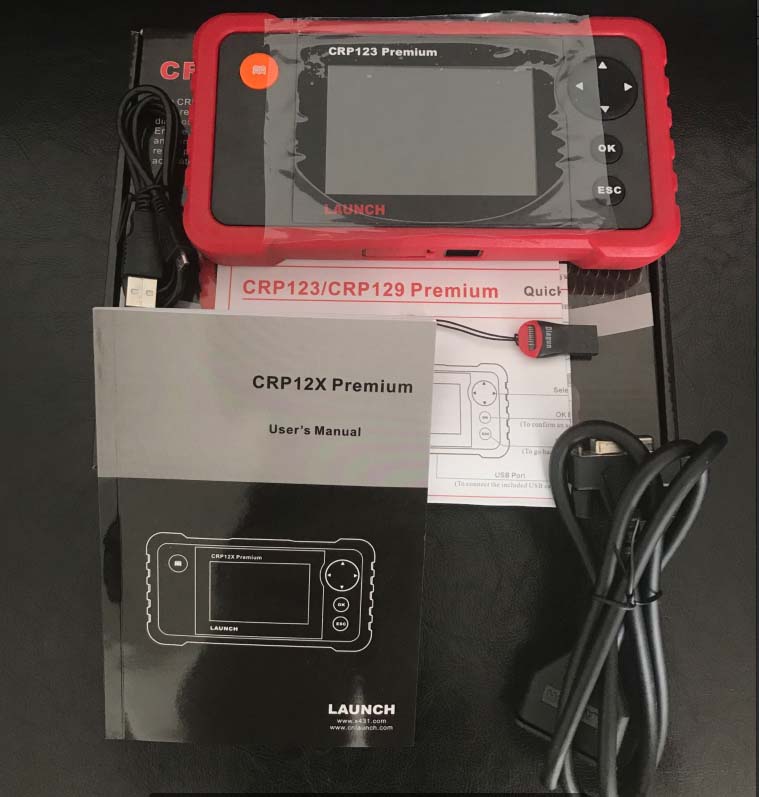
1pc x Launch Car Creader CRP123
1pc x OBDII cable
1pc x USB Cable
1pc x USB Sticker
1pc x User Manual
1pc x Carrying paper box

LAUNCH CRP 123 Premium


Category : Launch X431
CRP123 Premium-1-1
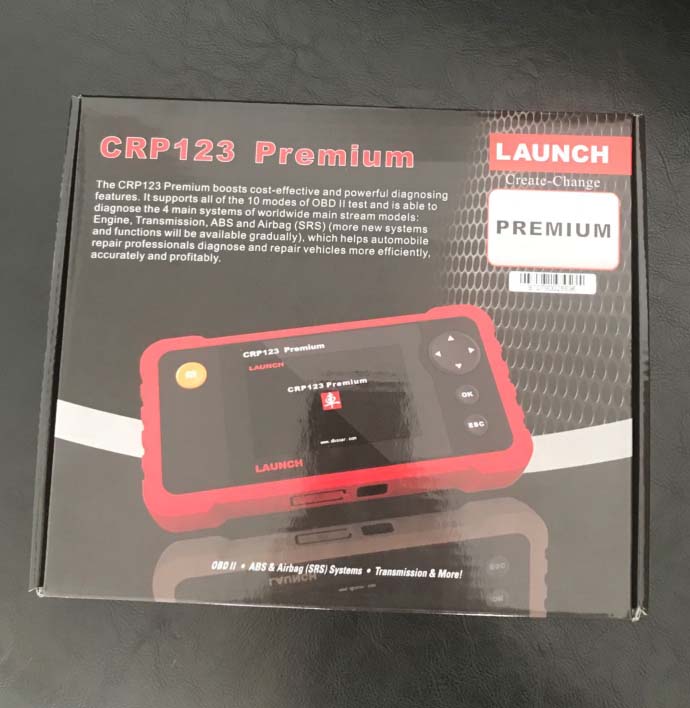
The LAUNCH Creader Professional 123 Premium (CRP 123P) combines the lines between a code scanner and a skilled mid-line scan tool. With features beyond the usual reading & clearing of fault codes, it takes you to a new level of diagnostics with added capabilities such as enhanced data stream for ABS, SRS, transmission and engine.

Read & clear fault codes of engine, ABS, SRS and automatic transmission for more than 30 vehicle brands!

Multilingual: ENGLISH, German, French, Italian, Spanish & Russian
Tests four major systems, engine, transmission, airbag (SRS) and anti-lock Brake system (ABS)
New: now it features an upgraded larger TFT Color screen
New: Upgrades to the latest software are done through a PC with a USB cable. No more need to remove the memory card for updates
New: improved thumb pad Layout for ease of navigation
The CRP123 premium from Obd2tool.com is was developed to test four major systems: engine, transmission, airbag (SRS) and anti-lock brake systems (ABS). it now features a new bigger 4.0″ TFT color screen, powerful diagnostic functions, such as reading DTCs, clearing DTCs and reading real-time live data streams. The CRP 123 also features the following, I/M readiness, MIL status, vin info and EVAP system testing. This new automotive diagnostic tool supports All 10 modes of OBD II tests for a complete diagnosis. Upgrades to the latest software are now done through a pc with a USB cable. With the CRP123 automotive repair professionals can diagnose and repair vehicles more efficiently, accurately and profitably.
CRP123 Premium-1-2
CRP123 Premium-1-3

Original Launch CRP123 Launch CReader Professional CRP123 Global Version Update Online

Launch CReader Professional 123

Language: English, French, Spanish
Attention:  There is password letter on the pacakge, you can register it online, and use this passowrd to download the software online.
Launch CReader Professional 123 main functions do not only include OBD / EOBD standard protocol diagnosis, but also cover professional diagnostic software for multiple models which can perform comprehensive diagnosis on four main ECU’s (ENG\ABS\SRS\AT) of vehicle.

Launch Creader 123 Feature:
OBD full diagnostic functions
Multiple models (covers ten main stream models in Asia, America, etc.)
Four basic systems(ENG-TCM-ABS-SRS)
Basic diagnostic functions, including reading DTCs, clearing DTCs and reading data streams
Rubber buttons/3.5″ 320*480 lattice high-definition color LCD screen/ Large-capacity memory of 1G TF Card
Supports DLC location hints/ DTC help/ Data stream display in waveform/ Historical data record and playback
Supports multiple languages/ Buzzer alarm/ Clock and calendar/ Fast upgrading

Launch Creader 123 Car Maker:
Audi, Australia Ford, Benz, BMW, Brilliance, Chevrolet, Chevy, Chrysler, Citroen, Dacia, Dadi, Daewoo, Daihatsu, Demo, Fiat, Ford, GM, Holden, Honda, Hyundai, Isuzu, Jaguar, Kia, Lancia, LandRover, Mahindra, Maruti, Mazda, Mitsubish, Nissan, Opel, Peugeot, Renault, Romeo, Rover, Saab, Seat, Skoda, Smart, Subaru, Suzuki, Tata, Toyota, Volvo, VW, Yamaha.

LAUNCH Creader CRP123 Premium Specification:
Screen:3.5”, 320*480 TFT LCD true color display
Input voltage:9-18V
Connection:standard 16 PIN OBD diagnostic interface
Working temperature:0-50°C
Storage ambient temperature:-20 to 70°C

Tools Advice for Mercedes Benz E-Class diagnosis on airbags ABS engine transmission

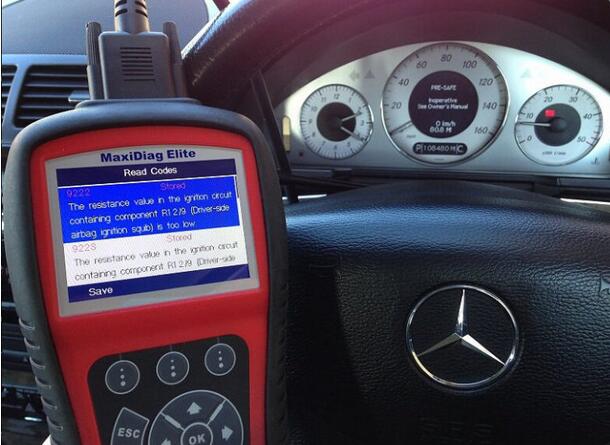
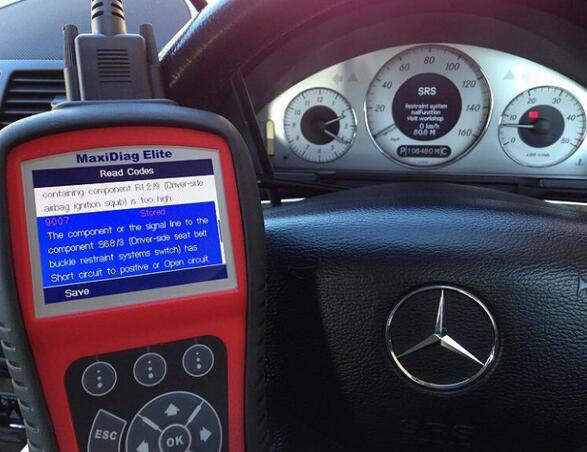
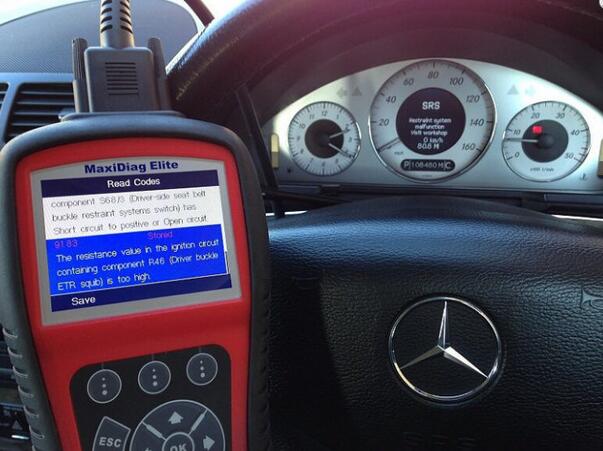
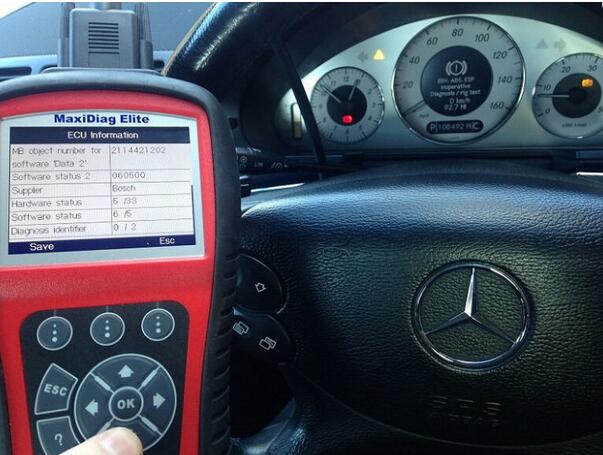
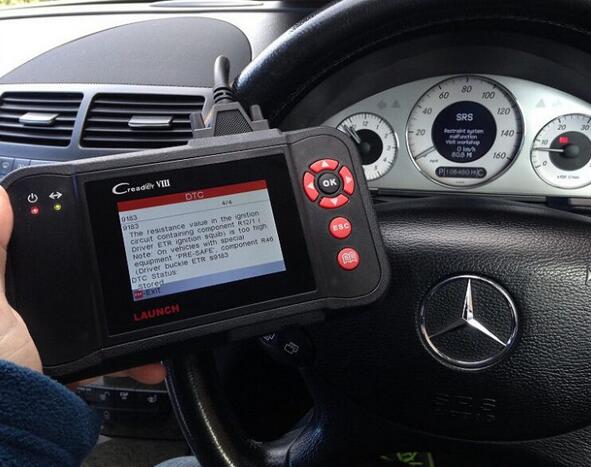
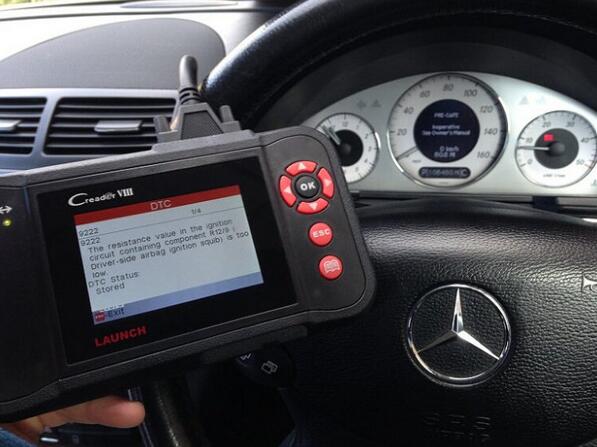
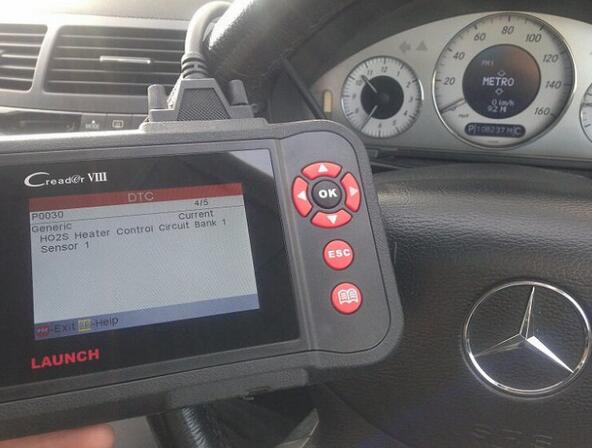
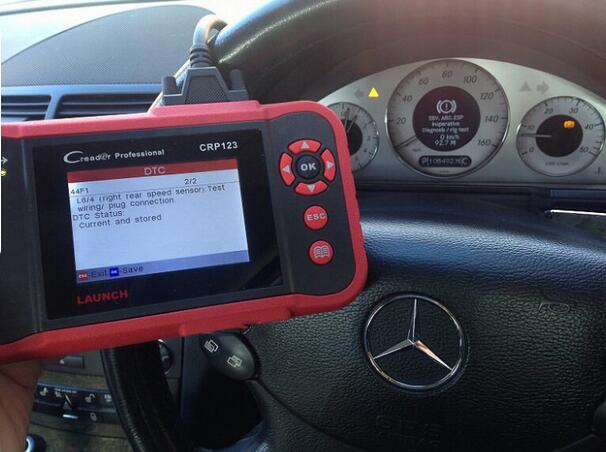
I try my best to test as many Mercedes Benz kits as possible on as many Mercedes E class, in order to make sure that the tools I advice actually do as they claim to do. I purposely triggered faults within the Mercedes E Class cars that I obtained then I triggered a fault/trouble code and dashboard warning light such as engine, ABS or airbags etc. The contents below were collected when reading and clearing fault codes on Mercedes E class vehicles and followed with some photos. These tools include Autel MD802, Autel MD702, Autel AL619, Launch Creader VIII CRP129 and Launch CReader CRP123, FYI, these tools are mainly from Obd2tool.com site and all are original with good quality.
Use Autel MD702 MD802 to do:
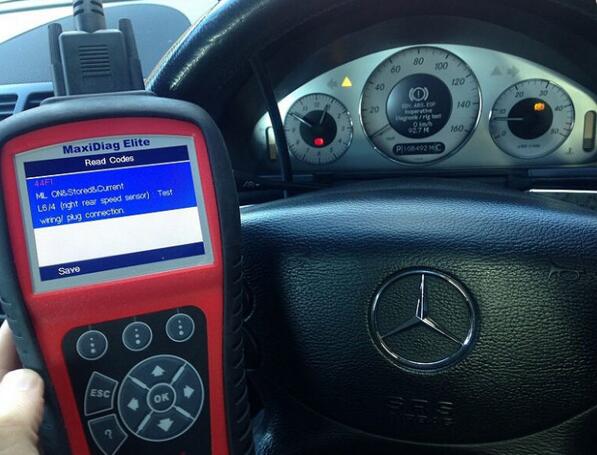
44f1 abs Mercedes Autel MD702 md802
9-1
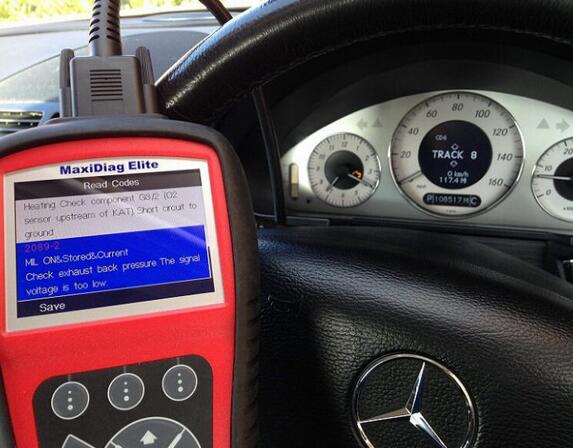
2089-2 Mercedes Autel MD702 MD802
9-2
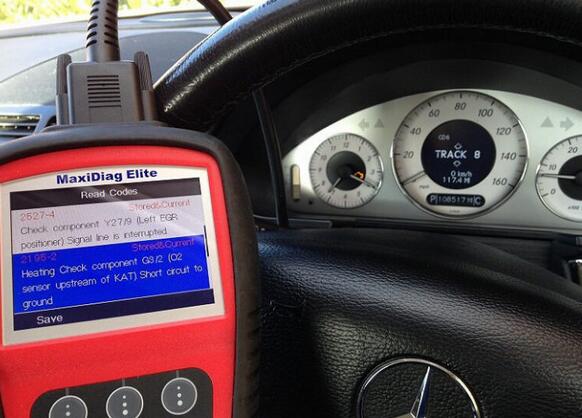
2195-2 Mercedes Autel MD702 MD802
9-3
2527-4 engine warning light Mercedes Autel MD702 MD802
http://cheapobd2scanner.com/wp-content/uploads/sites/4/2017/10/9-4.jpg
9002 srs airbag Mercedes Autel MD702 MD802
9-5
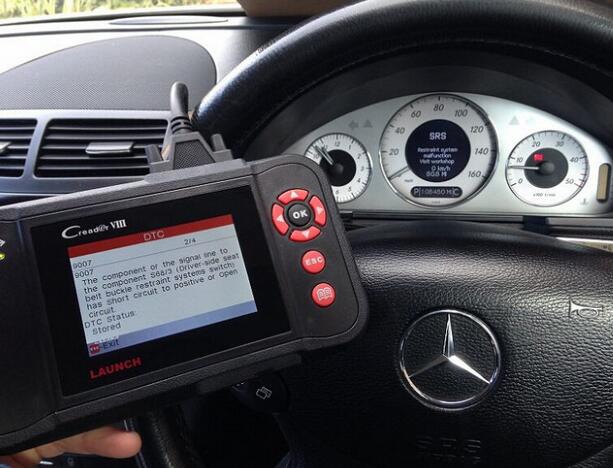
9007 Mercedes Autel MD702 MD802
9-6
9183 srs airbag Mercedes Autel MD702 MD802
9-7
ABS info ECU Mercedes Autel MD702 MD802
9-8
ABS info for ECU Mercedes Autel MD702 MD802
9-9
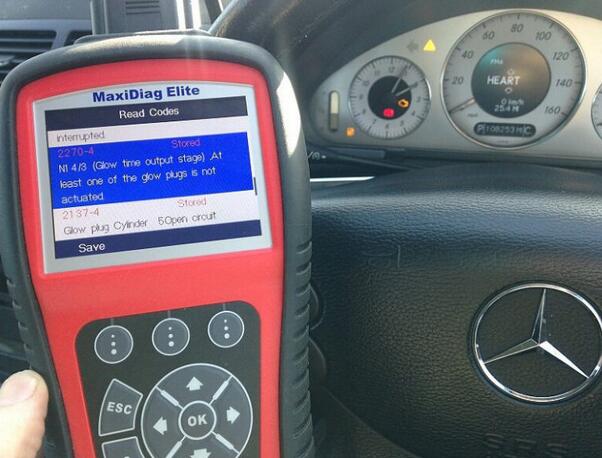
Mercedes 2270-4 2137-4 glow plug Autel MD702 MD802
9-10
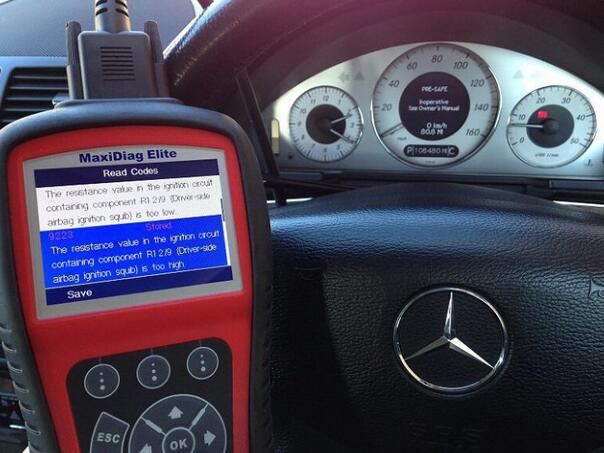
Mercedes 9223 srs fault code Autel MD702 MD802
9-11
Use Autel AL619 to do:
Engine warning light Mercedes Autel AL619
Mercedes Autel AL619 p0472
9-12
p0130 bank 1 sensor 1 02 sensor
9-13
Use Launch CReader CRP123 to do:
Mercedes Creader VIII 9007 SRS airbag warning light fault code
9-14
Mercedes 9183 SRS airbag warning light fault code
9-15
Mercedes 9222 SRS airbag warning light fault code
9-16
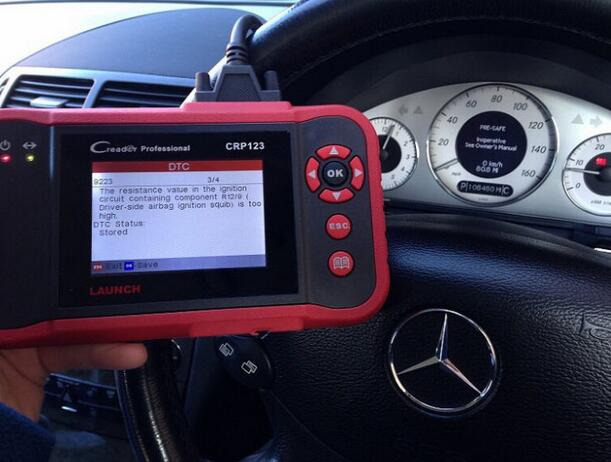
Mercedes 9223 SRS airbag fault code
Mercedes O2 Bank 1 sensor 1
9-17
Mercedes p0135 Bank 1 sensor 1
SRS airbag warning light
P2239 o2 sensor fault code sensor 1 Bank 1
Use LAUNCH Creader CRP123 Premium to do:
44F1 ABS warning light code
9-18
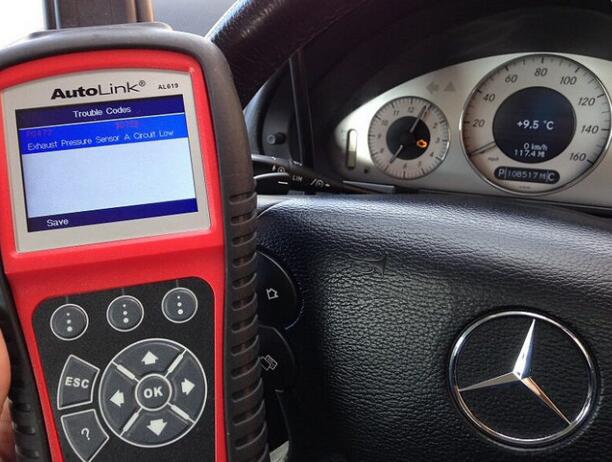
4472 exhaust pressure sensor
9-19
9007 SRS airbag fault code
9183 trouble code airbag reset tool fault warning light
9223 airbag srs reset tool
9-20
ABS 9222 fault warning code
p0030 fault code O2 sensor 1 blank 1
9-21
p0403
Well Done !

How to Fix BMW E39 ABS Problem Using Launch CRP123

CReader CRP123 Premium designed by Launch, is able to support OBD/EOBD standard protocol diagnosis, as well as cover professional diagnostic software for multiple models diagnosis, on 4 main ECU’s (Engine, ABS, SRS, AT) of vehicle.
Here I would like to share my own experience on how to fix ABS light on problem:
Equipment:
launch x431 scanner Launch Creator Professional 123;
Aimed Car Model:
BMW E39 5 Series;
CRP123-8-1
Problem:
ABS light on;
CRP123-8-2
The following is all about the operation guide:
Video Guide:
Connect Launch CRP123 device with vehicle OBD socket;
Boot up device;
Select Diagnose;
CRP123-8-3
Select Scan;
CRP123-8-4
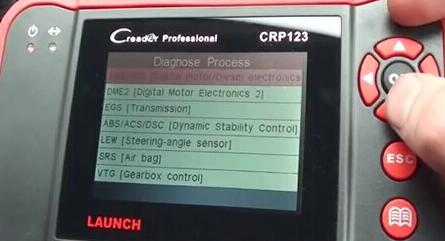
Select car model as BMW;
Click Manual Select;
CRP123-8-5
Click ABS/ACS/DSC [Dynamic Stability Control];
CRP123-8-6
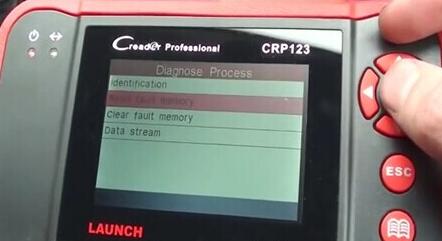
Click Read Fault Memory;
CRP123-8-7
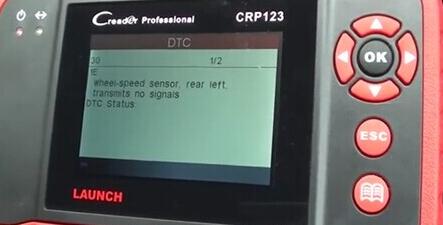
Result is shown below:
CRP123-8-8
Then back to select Clear Fault Memory (Note: some might be normal via erasing, while something serious may be well done via workshop repair) ;
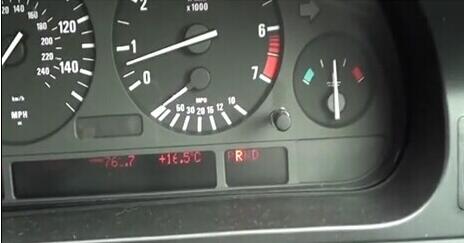
After that, re-turn the ING on and find the ABS light is off.
CRP123-8-9
More information, please click the official website
http://www.obd2tool.com/goods-5084-Original+Launch+CRP123+Launch+CReader+Professional+CRP123+Global+Version+Update+Online.html

Launch Tech Creader Professional CRP123 Advice

I just love LAUNCH Creader CRP123 Premium in particular, and loved writing this review about it’s powerful features. During my research, I couldn’t find even a single dissatisfied customer with negative review of any kind.
 crp123-5-1
All those who bought it, eventually, fell in love with the Launch Tech crp123 scanner. So I suggest, don’t get overwhelmed with the wide range of devices available in the market. Just save on your pocket with Launch X431 Scan Tool CRP 123 Scanner.

Talking about the “LaunchTech” brand, I must say, they are a reputable brand with a great track record backed up by quality products and a long list of satisfied customers. In case, you have any trouble with your device or the device is not compatible with your vehicle, whatever you want to know or talk about you have an assistant ready to help you.

I must admit from the onset that none of the OBD2 vehicle diagnostics I have encountered had this much aesthetic taste. Looking at the Launch Tech 301050116 ‘CRP123 -Transmission and Engine Code Scanner one admits the amount of effort that must have gone into making it.

How Launch Tech Creader Professional CRP123 Serves You

The CRP123 Premium possesses all the standard features that an OBD oriented scanning tool must have. Beside, it has many additional features that are unique to this particular device only.
The modern features are capable of convincing any shopper from a “Not To Buy” to “I’ve Got to Get This!”
Let’s Explore The Outstanding Features Built Into This Equipment in Full Details :

1.    High Durability:
This auto diagnostic instrument is manufactured with a strong and sturdy plastic case. The plastic is highly durable and non-breakable that can tolerate heavy jerks. Even if the device falls on the ground, the plastic is capable enough to absorb the hitting and the internal mechanism remains unaffected.
The screen is made up of anti-tempered glass. You might rarely experience even a scratch on the screen, let alone it getting tempered. In short, the device is suitable for virtually any rough and tough usage.

2.    Intuitive Design:
LaunchTech has a visually pleasing compact design. It looks more like a video-game gadget. It’s an easy to carry device that fits in the pocket, sits on the palm or can be placed in the car perfectly. The device with it’s cherry and black color combination is visually appealing.
I must say that it has a tempting design like a hand-held video game device. The navigational buttons, that are self explanatory, are set nicely on the right side. Its overall look makes it appear as …. if you’ve handled a sci-fi gadget you’d understand what I’m talking about.

3.    Broader Compatibility:
You can’t count Launch Tech creader profeswsional crp123 auto code scanner to be like any of the other OBD scanners. Although OBD-II is a standard yet different manufacturers use different On-Board-Diagnostic Modes. With it’s latest OBD-II version 6 diagnostics technology, it can read all the 10 modes of OBD. What that means? You can use the device, literally, with any OBD enabled vehicle.

4.    Longer Data Accessibility:
As soon as, the scanner is attached to the OBD-II port of the vehicle, it can fetch and present the live diagnostic data. Although, the data is presented in an intuitive manner and immediately informs you of the problem in the vehicle yet you can save and export the data for later use. This function comes handy if you want deeper analysis using vehicle diagnostic apps like DashControl or TorquePro. The engine scan history can be retrieved anytime in the nearest future unless you manually delete such information.

5.    Wider Code Library:
This is not a typical Launch X431 diagnostic scanner but a CAN enabled device as well. That means, it enables you to find malfunctions in engine mechanism but also enables you to find if there is any trouble with ABS, SRS, EPS or Transmission System of the vehicle.
In reference to this, the tool is also appropriate for all US motor vehicles as well as diverse range of automobiles that are manufactured from Asia and Europe.

6.    Enhanced Display:
The screen area occupies the total surface area of the device, thus, making the code reading an “easy-cheesy” task. The vehicle diagnostic codes related to the engine, Anti-Brake Lock System (ABS), Safety Restraint System (SRS), Transmission or EPS are displayed as an alpha-numeric value.
A small snippet also appears along with the alpha-numeric code describing the problem in a simple (layman) language so that you don’t have to go searching for the meaning of it from a code manual. You need to check the manual only where you want a thorough expatiation of the problem. After a little experience, I doubt you will ever need the manual as the snippet will be enough to understand the trouble.
Additionally, If any problem is found, the scanner beeps and an illumination light turns on to direct your attention to the issue.

7.    Compact Size & Weight:
In particular, the dimensions of the product makes it portable enough with its 9.2 inches in length, 7.8 inches in breadth and 1.7 inches in height. The screen area occupies the majority of the space so as to display data that is easy to read. The overall weight of the device grosses 1.4 pounds. All these features make it an easy to carry product.

8.    No Installation Hassles:
Although the device comes with a CD but you might never need to use it. It’s like a plug and play device and doesn’t require any software to run. All it requires is connecting it with the Port using the 16 pin connector chord that comes with it. As soon as it’s connected, it starts diagnosing the vehicle engine when you tell it to do so by touching the right buttons displayed on the screen.

9.    Support:
The company provides an excellent after-sales service. If you face any trouble using the device or it’s not working as it should be, just raise a ticket on the manufacturer’s official website and a qualified technician would attend you.

10.   Future Proof:
Launch tech releases Code-Updates from time to time. Just attach the device with a PC and run the updater that you will find in the CD. Within a few minutes the code library of the device is updated and you can use it with the latest vehicles. You don’t have to buy an additional scanner for the newly launched automobile.

Want more information? Get detail info here
Who Benefits From The Launch Tech Professional CRP123 Auto Diagnostic Code Reader Scanner
The device is intended for intermediate and advanced enthusiasts. It is designed for auto mechanics and also for car repairing shops owners. And if one can afford it, why not? As well as normal people.
Because it was designed for professionals in mind, the quality standards are very high. That’s the reason the tool might appear to be a bit over-priced and may seem un-affordable. But it’s a real value for money piece of garage arsenal.
The product is for anyone who wants a handy device for a timely monitoring of his/her OBD2 Scanner vehicle and want to avoid any major engine issues.

How to Update Launch Creader VII+ (CRP123) and Creader VIII (CRP129)

Launch X431 Creader VII+(CRP123) comprehensive diagnostic Tool and Launch X431 Creader VIII(CRP129),are lanuch x431 diagnostic scanner,with multi-language available.Support over 20 car models and 4 systems(ABS, Airbag, Transmission and ECU).

How to Update Launch Creader VII+ (CRP123) and Creader VIII (CRP129)?
Step 1: visit http://mycar.x431.com/pad/landingPageIndexCrv.action and click icon “Update Tool Download”
.
Step 2: Download and install “Launch Creader Update Tool “,after installation is complete, run it.

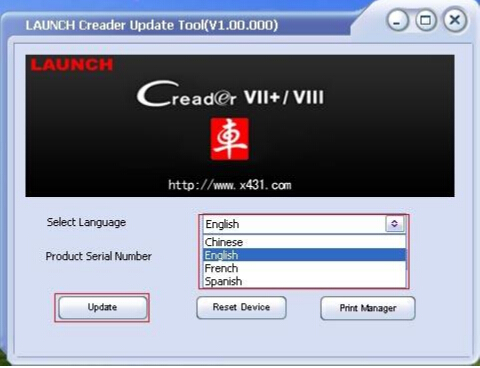
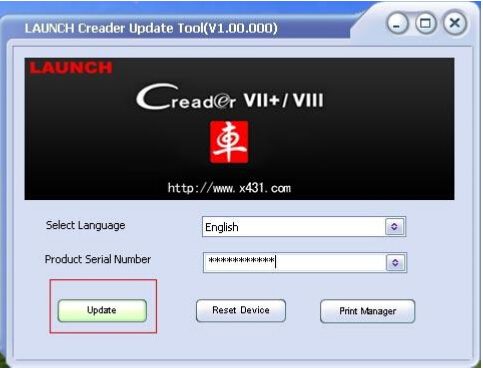
Step 3: in the following picture, select Language (English, Chinese,French and Spanish available) and input product Serial Number (the serial number is in the back of Creader VII+ /Creader VIII).

CRP123-4-1
CRP123-4-2

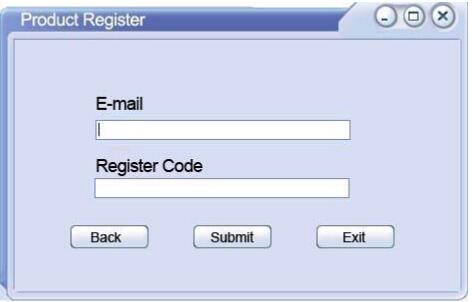
Step 4: click “Update” to enter the registration page, input Email and Register Code, click “Submit”.
CRP123-4-3

(Note: if you need Register Code, please refer to step 5 to step 8; if you already have Register Code, after submit, skip to step 9. )

Step 5: the register code can be found in the Creader VII+ /Creader VIII, how to find? Connect one end of the USB cable to Creader VII+ / Creader VIII, and another end to the computer.

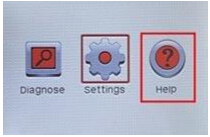
Step 6: Wait until Launch Creader enter the main menu, then Move the mouse pointer to the “Help” icon, finally press the “OK button.
CRP123-4-4

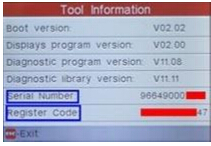
Step 7: select “Tool Information”, then press button “OK”.
CRP123-4-5

Step 8: the register code shown below is the one needed to enter in the step 4.
(Back to step 4 to input register code and continue)
CRP123-4-6

Step 9: insert TF card into TF card reader, then insert the TF card into the computer.

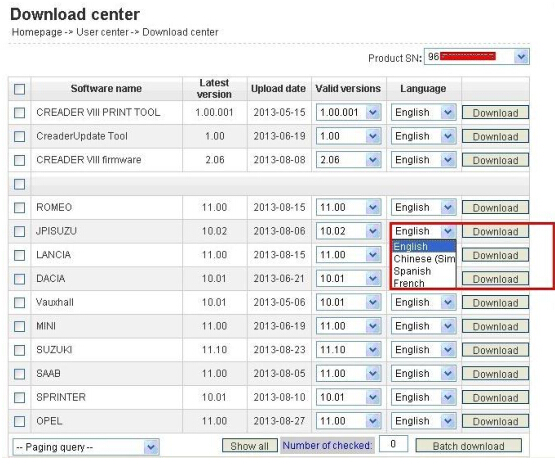
Step 10: restart the “Launch Creader Update Tool “, select the file you need or click “All”, then click “Download” to start the download.
CRP123-4-7

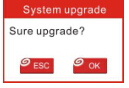
Step 11: After complete download, take out TF card from TF card reader and insert it into the slot of Creader VII+ / Creader VIII, then supply power for Creader VII+ / Creader VIII by the USB cable (one end of the USB cable connect to Creader VII+ / Creader VIII and another end to the computer) or by the vehicle diagnostic socket (connect the OBDII connector of Creader VII+ / Creader VIII to vehicle diagnostic socket ), after the Creader starts, it popup a window prompting ” System Upgrade- Sure Upgrade?”, select ” OK” to upgrade.
CRP123-4-8

Step 12: update complete!